
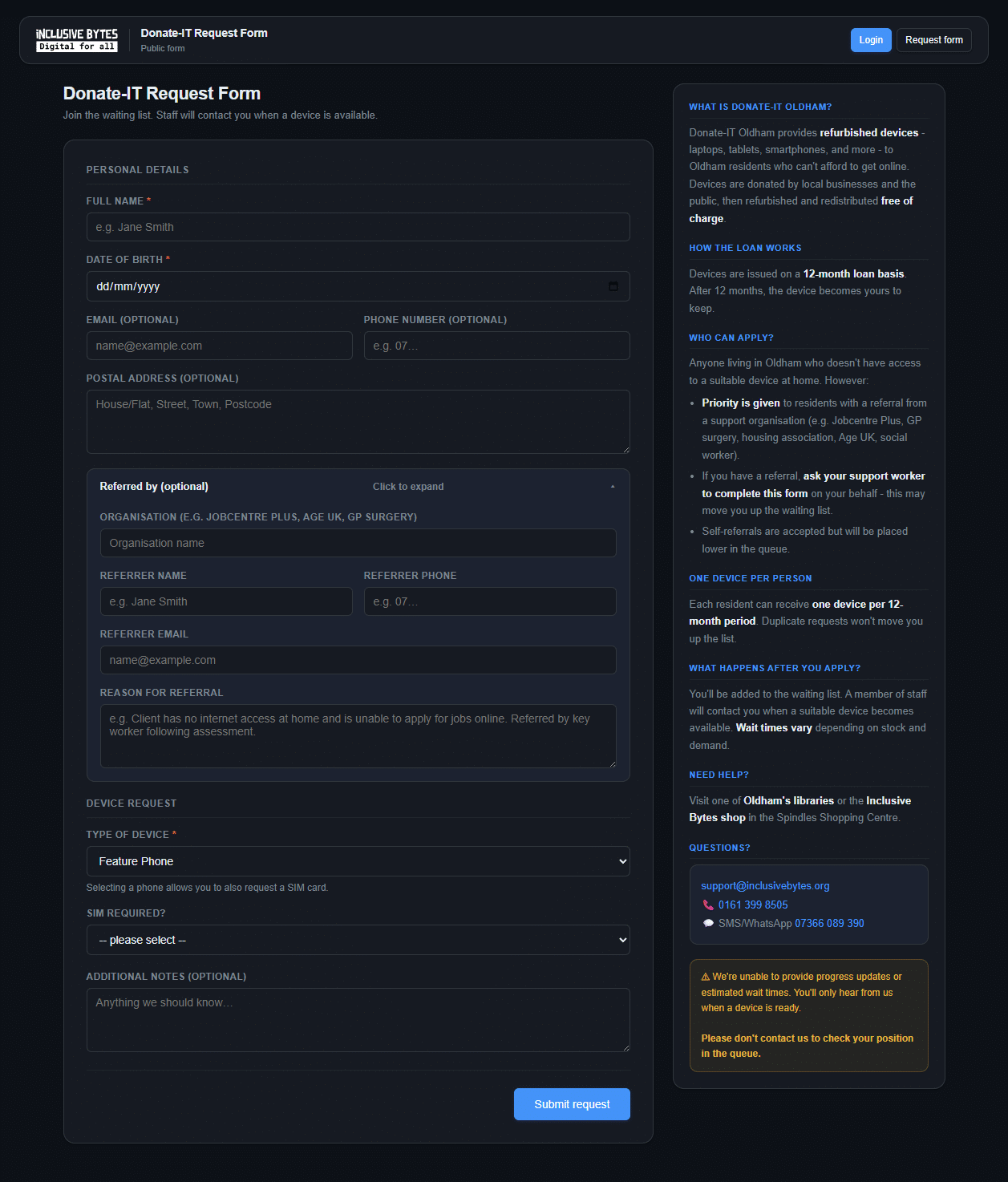
Step 1 — Fill in the form
Fill in the person’s details:
- Full name and date of birth — required
- Email, phone, and address — optional but helpful so we can reach them
- Type of device — phone, tablet, laptop, or desktop. If requesting a phone, you’ll also be asked whether they need a SIM
Then open the “Referred by” section and complete your details:
- Your organisation (e.g. Housing 21, Jobcentre Plus, Age UK)
- Your name, phone, and email
- A brief reason for the referral
Why this matters: Referred applicants are prioritised over self-referrals. Completing this on their behalf moves them up the waiting list.
Step 2 — Confirm your referral by email
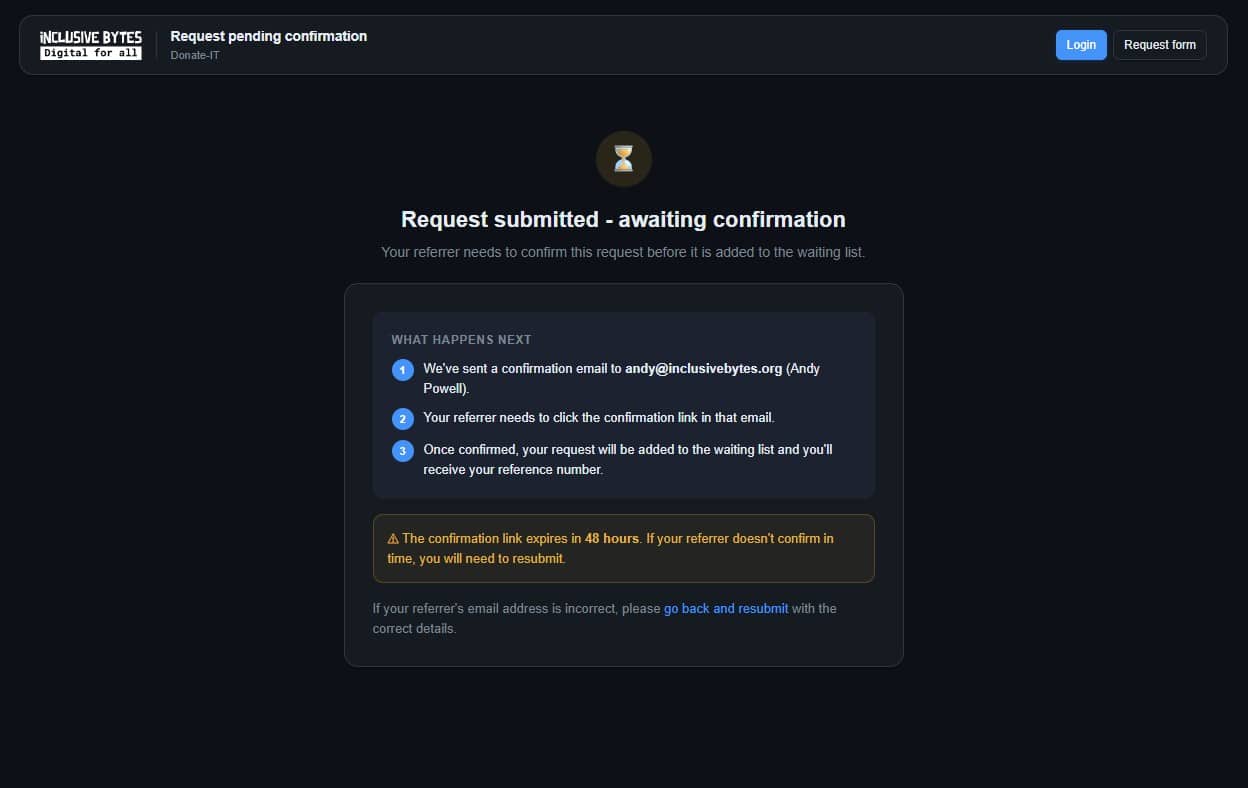
After submitting, you’ll receive an email asking you to confirm the referral. You must click the link in that email to complete the submission.
This step verifies that the referral came from you and prevents fraudulent or accidental submissions.
Check your spam folder if the email doesn’t arrive within a few minutes.
The referral is not active until the link is clicked.
Step 3 — Confirmation
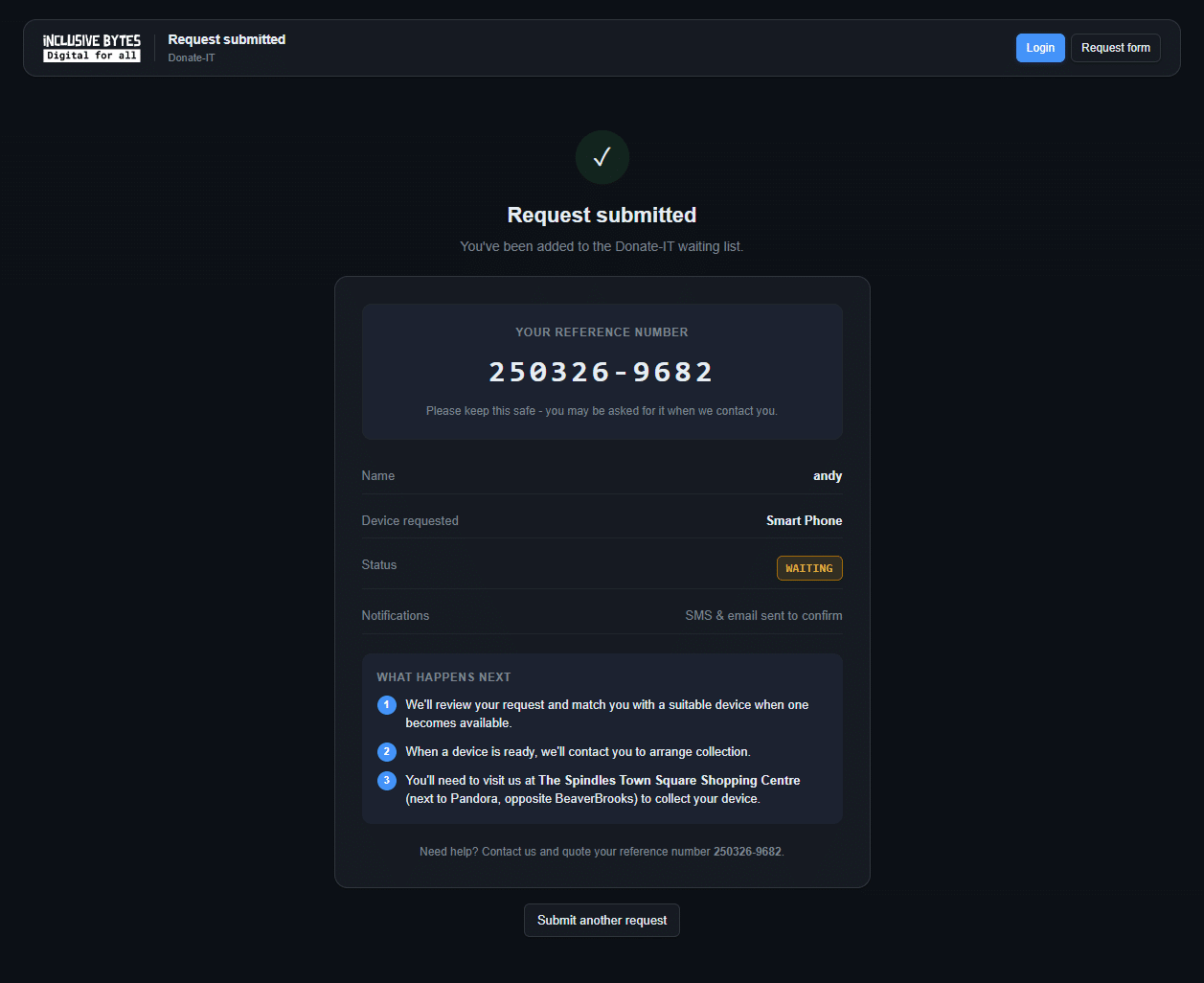
Once confirmed, the applicant is added to the waiting list. You’ll receive a confirmation that the referral has been logged.
Let the applicant know:
- Wait times vary — we can’t give estimated timescales
- They’ll only hear from us when a device is ready
- One device per person per 12-month period
- After 12 months on loan, the device is theirs to keep
Questions? Email support@inclusivebytes.org or call 0161 399 8505

