
1. Go to https://www.google.com/recaptcha/admin/create
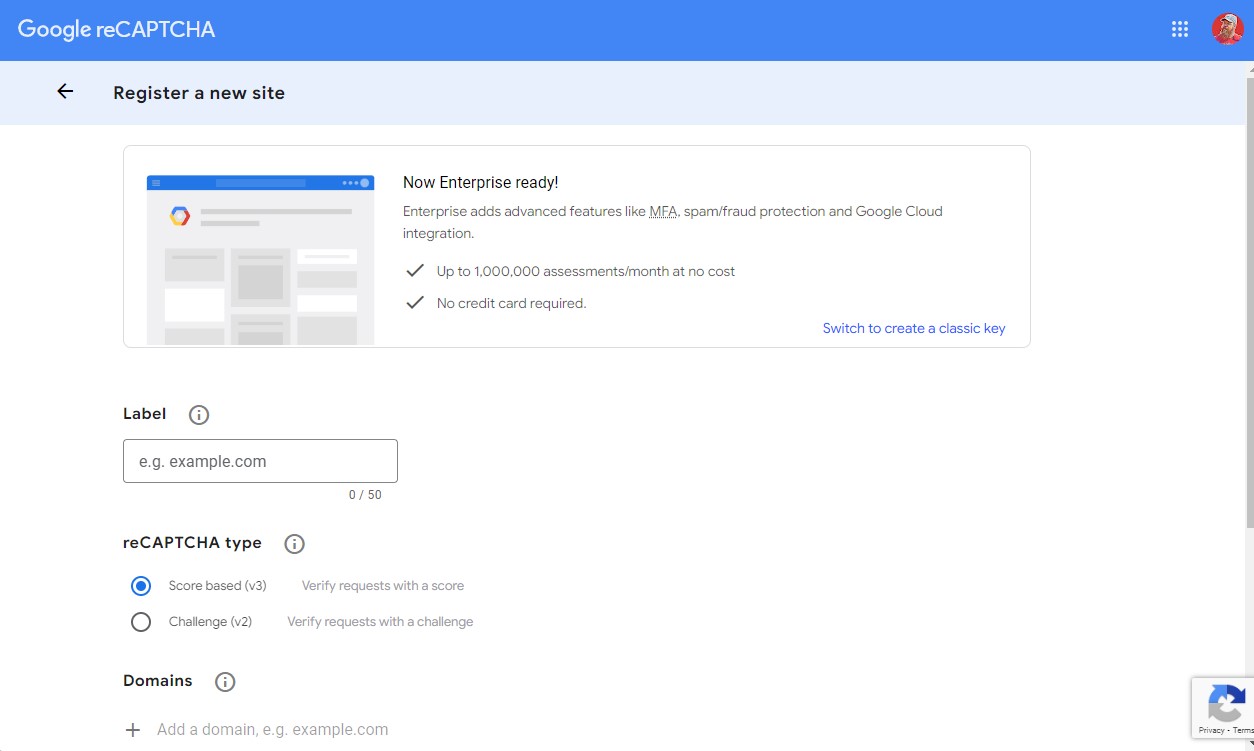
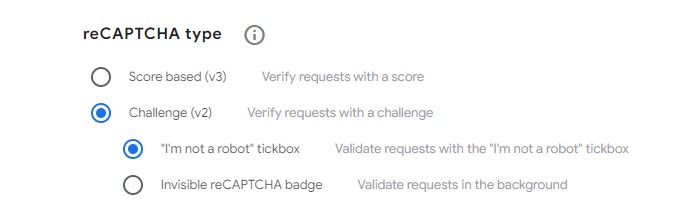
2. Fill in your details making sure to select “Challenge V2” and “Tickbox”
3. Agree to the terms and conditions and click [Submit]
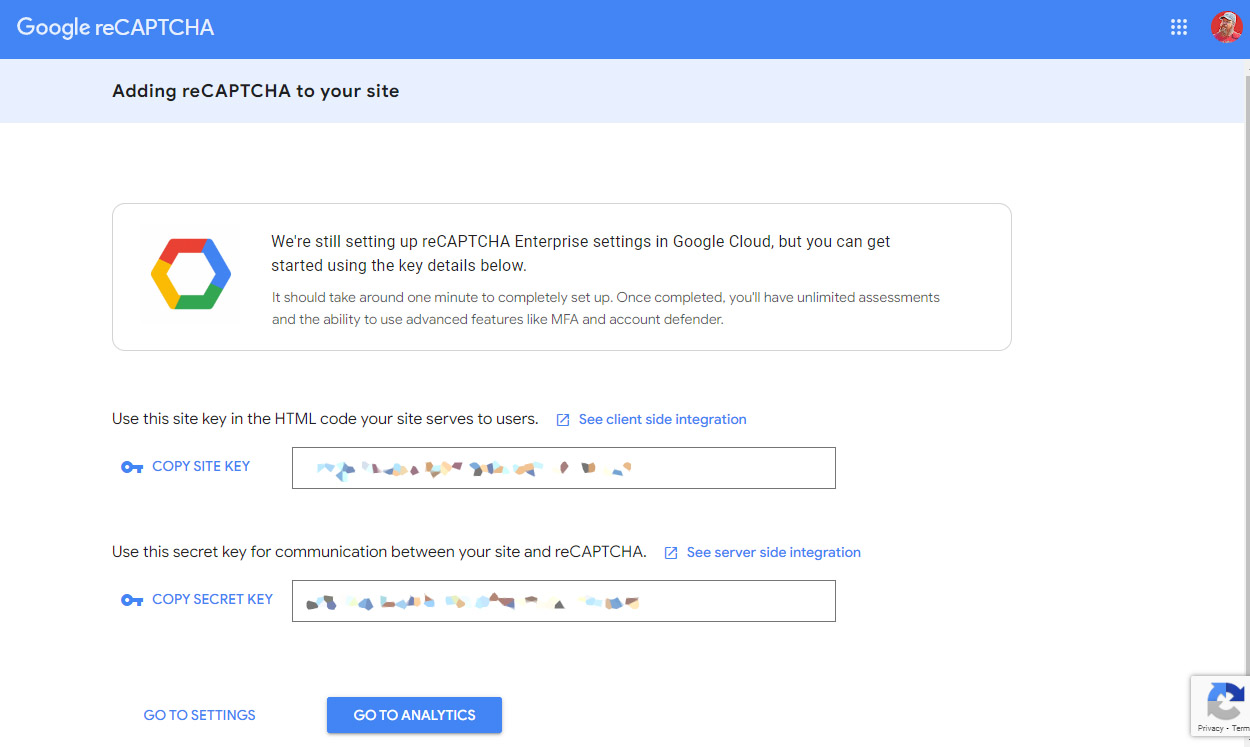
4. Now return to your website and navigate to [Forms] [Settings] [ReCAPTCHA]
Enter your keys, select “Checkbox” and tick “I’m not a robot”
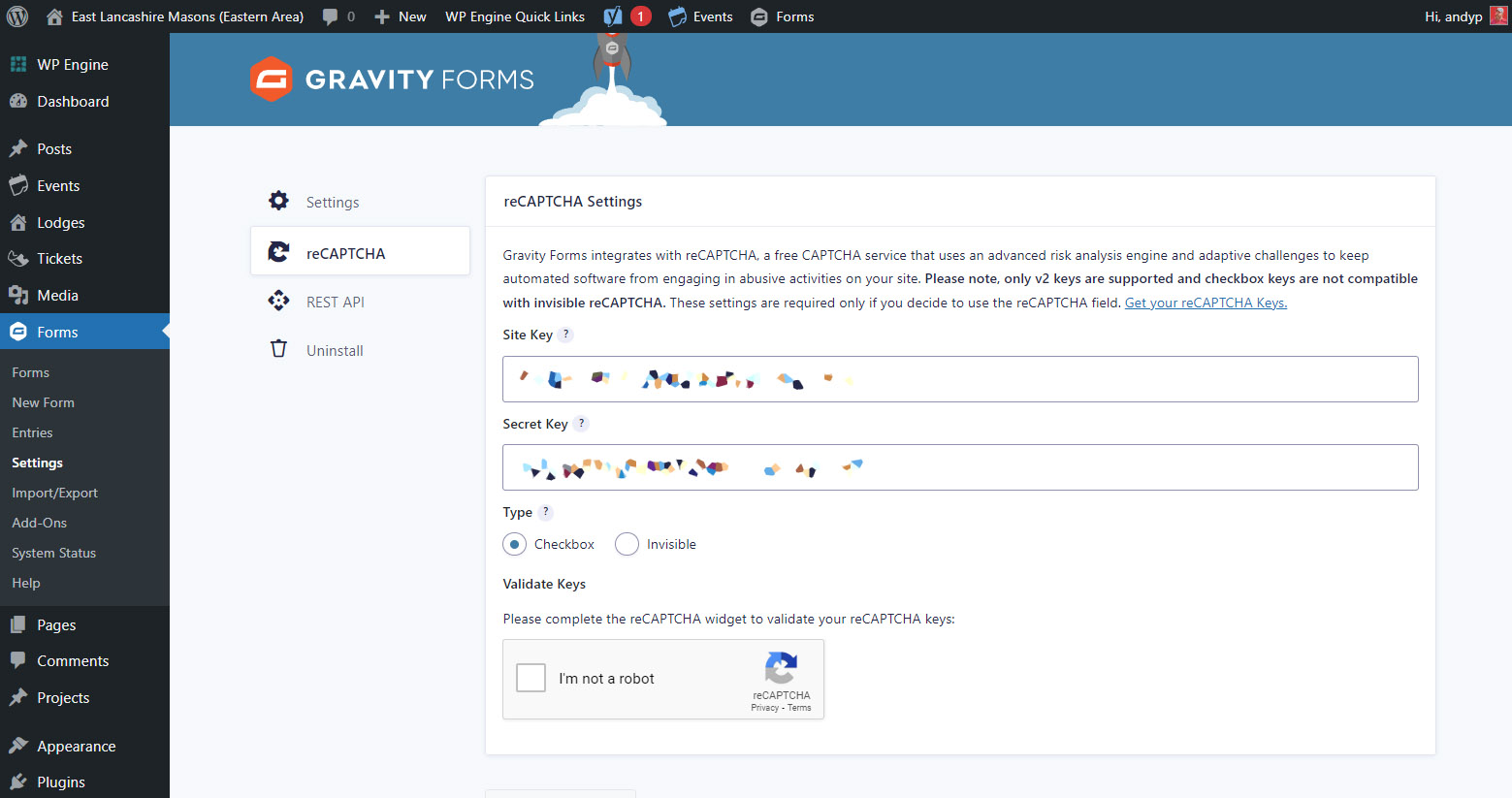
5. Then click [Save Settings]
6. You can now navigate to your form where you will find CAPTCHA as an available field.

